

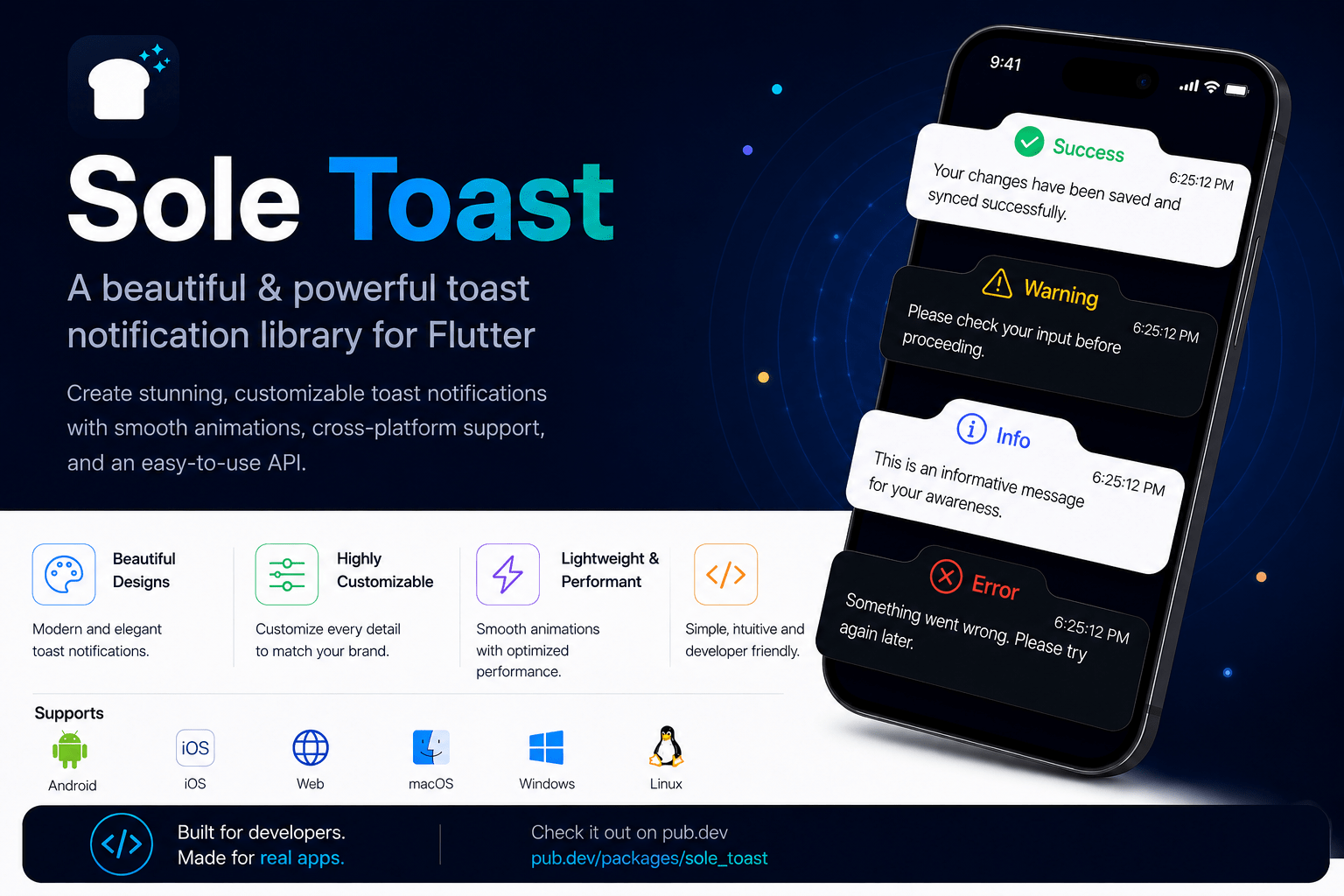
Building Flutter applications across multiple projects taught me something obvious in hindsight: the same problems get solved over and over. Toast notifications were one of them. Every new project meant either wrapping platform-specific implementations, accepting limited customization, or spending time polishing the appearance and behavior. That friction inspired me to build sole_toast, a production-ready Flutter package for modern, customizable toast notifications. But beyond the package itself, the process of developing and publishing it offers a practical framework for building reusable UI components that solve real developer problems.
The Problem Worth Solving
Toast notifications are deceptively important. They’re small UI elements, but they carry the weight of communicating success, errors, warnings, and important information without interrupting the user’s workflow. Get them right, and users barely notice. Get them wrong, and the entire experience feels unpolished.
Most existing solutions fell into one of three categories:
- Direct wrappers around native platform toasts, offering minimal customization
- Lightweight packages with limited flexibility for modern design requirements
- Heavy solutions that required significant integration effort for something that should be simple
Rather than recreate custom toast widgets for every new project, I decided to invest in building one solution that could serve as a production-ready foundation across different applications. This shift from project-specific code to reusable package is where the real learning began.
Designing for Production
A production-ready package isn’t just code that works. It’s code that works consistently, predictably, and across the environments where developers actually deploy applications.
I structured sole_toast around three core principles:
- Modern UI with smooth animations. Notifications should feel polished and responsive, not jarring or delayed.
- Flexible customization without complexity. Developers should control appearance, timing, and behavior without wrestling with nested configuration objects.
- Consistent cross-platform behavior. A notification on Android should behave identically to one on iOS, Web, Windows, macOS, or Linux.
These principles shaped every decision, from the API design to the animation timing to the platform-specific implementations.
Core Features and API Design
sole_toast includes everything needed for professional notifications:
- Predefined notification types: Success, Error, Warning, Information
- Full customization: titles, descriptions, icons, colors, and positioning
- Configurable duration and smooth entrance/exit animations
- Support for all Flutter platforms: Android, iOS, Web, Windows, macOS, Linux
- Lightweight integration with minimal boilerplate
The API was intentionally designed to be straightforward. Displaying a simple notification should take three lines of code. But for applications with specific requirements, the package provides the flexibility to customize nearly every aspect.
A basic success notification looks like this:
SoleToast.show(
  title: 'Success',
  description: 'Your changes have been saved',
  type: ToastType.success,
);
For more control, you can customize position, duration, colors, and icons:
SoleToast.show(
  title: 'Payment Processed',
  description: 'Transaction ID: 12345',
  type: ToastType.success,
  position: ToastPosition.top,
  duration: Duration(seconds: 4),
  backgroundColor: Colors.green,
  icon: Icons.check_circle,
);
This balance between simplicity and flexibility is what makes a package genuinely useful across different projects and team sizes.
Why Unified Behavior Matters
One challenge in cross-platform Flutter development is that platform differences can accumulate. A notification that looks good on Android might feel out of place on Web or macOS. Users notice inconsistency, even if they can’t articulate why.
Rather than relying on platform-specific toast implementations, sole_toast renders notifications consistently across all platforms using Flutter’s own rendering engine. This means a developer can build once and deploy everywhere with confidence that the user experience remains cohesive.
For production applications, this consistency is invaluable. Enterprise platforms, SaaS products, and consumer-facing apps all benefit from predictable, polished feedback mechanisms that work the same way regardless of where the user is accessing the application.
The Open Source Approach
I believe the best developer tools improve through collaboration. That’s why sole_toast is completely open source, published on both GitHub and pub.dev.
This decision has practical benefits beyond philosophy. Open source packages benefit from community feedback, contributions, and real-world use cases that a single developer might never encounter. Feature requests become pull requests. Bug reports lead to improvements. The package evolves faster and in directions that actually matter to developers using it.
For developers considering building and publishing their own packages, open source is also a credibility signal. It demonstrates that your code can withstand public scrutiny and that you’re confident enough in its quality to invite contributions.
From Concept to Publication
The journey from “I’m solving this for myself” to “this is a package others can use” involves several key steps:
- Solve your own problem first. Build the solution for your own projects. This grounds the package in real requirements rather than theoretical ones.
- Identify the core value. What specific problem does this solve? What makes it different from existing solutions? Clarity here drives all subsequent decisions.
- Design a simple API. The best packages are easy to use and understand. Spend time on API design before writing production code.
- Test across platforms. If your package claims cross-platform support, actually test it. Don’t assume.
- Document thoroughly. Examples matter more than reference documentation. Show developers how to solve common problems with your package.
- Publish and iterate. Release early, gather feedback, and improve. Perfection is the enemy of progress.
Each of these steps matters for building packages that developers actually use and trust.
What This Means for Flutter Development
sole_toast is one package. But the process of building it reflects a broader shift in how Flutter development works. Rather than each team building custom solutions, we’re moving toward an ecosystem of reusable, well-maintained packages that solve common problems consistently.
For developers building production applications, this means less time building infrastructure and more time solving business problems. For open source maintainers, it means the opportunity to build tools that genuinely improve the developer experience across the entire community.
If you’re building Flutter applications and repeatedly find yourself solving the same problems, consider whether a reusable package might be worth the investment. The effort to build it right pays dividends across every project that follows.
If you’re looking for a modern toast notification solution for Flutter, sole_toast is ready to use. The package is available on pub.dev and the source code is on GitHub. Feedback, feature requests, and contributions are always welcome.
What platforms does sole_toast support?
sole_toast is built to work across all Flutter-supported platforms: Android, iOS, Web, Windows, macOS, and Linux. The notification behavior and appearance remain consistent across all platforms, which is one of the key design principles.
Can I customize the appearance of notifications?
Yes. sole_toast allows you to customize titles, descriptions, icons, colors, position, and duration. You can use predefined notification types (Success, Error, Warning, Information) or build entirely custom notifications by controlling each aspect of the appearance and behavior.
Is sole_toast lightweight?
Yes. The package is designed to be minimal in terms of dependencies and bundle size. It integrates easily into existing Flutter projects without adding significant overhead.
How do I contribute to sole_toast?
The package is open source on GitHub. You can submit issues for bugs or feature requests, and pull requests are welcome. Contributing is a great way to improve the package for the entire community.
Can I use sole_toast in enterprise applications?
Absolutely. sole_toast was built with production applications in mind, including enterprise platforms and SaaS products. It’s designed to provide consistent, reliable user feedback across all environments.
Plugin : https://pub.dev/packages/sole_toast
